
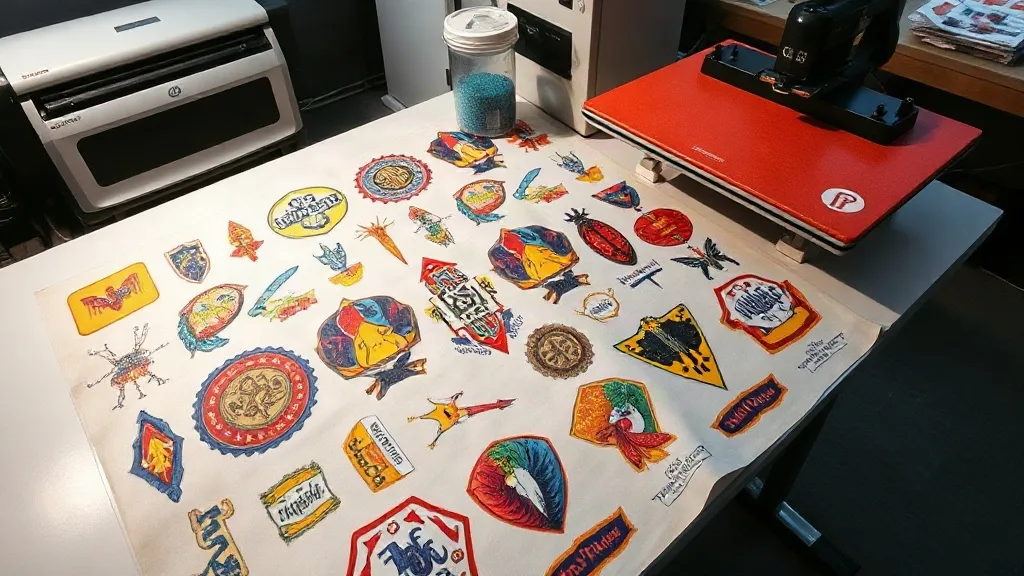
If you're in the custom apparel business, you've probably heard the term "gangsheet" tossed around. But what exactly is a DTF Gangsheet, and why should you care? In simple terms, a gangsheet is a single sheet of transfer film that contains multiple designs printed together. This method is a game-changer for efficiency, allowing you to print various designs in one go, saving time and reducing waste. Whether you're a small print shop owner or a DIY enthusiast, understanding gangsheets can significantly improve your workflow and bottom line.
What is a DTF Gangsheet?
A DTF Gangsheet is a large sheet of DTF (Direct to Film) transfer paper that holds multiple designs arranged optimally. Instead of printing each design individually, you compile several designs onto one sheet, maximizing the use of space and materials. This approach is especially beneficial for businesses that handle diverse orders or need to produce samples and small batches efficiently.
DTF printing itself involves printing your design onto a special film, applying adhesive powder, and then transferring it onto fabric using a heat press. The gangsheet method takes this a step further by grouping designs, which is perfect for print shops that want to minimize downtime and material costs.
Why Use a DTF Gangsheet?
The benefits of using a DTF Gangsheet are numerous. Let's break down the key advantages:
- Cost Efficiency: By printing multiple designs on one sheet, you reduce the amount of wasted film and powder. This lowers your cost per print, especially for small to medium-sized orders.
- Time Savings: Instead of loading the printer repeatedly for each design, you print everything at once. This speeds up production, allowing you to take on more orders.
- Consistency: When you print multiple designs together, they go through the same process under identical conditions, ensuring consistent quality across the board.
- Versatility: Gangsheets are ideal for varied designs, such as team jerseys with different names and numbers, or promotional items with multiple logos.
How to Create a DTF Gangsheet
Creating a gangsheet might seem daunting at first, but with the right approach, it becomes second nature. Here's a step-by-step guide to help you get started.
1. Design Preparation
Start by gathering all the designs you want to include. Ensure each design is high-resolution and properly sized. Use design software like Photoshop or Illustrator to arrange them on a canvas that matches the dimensions of your DTF film. Leave a small gap between designs to avoid overlap during cutting.
2. Choose the Right Film and Printer
Not all DTF films are created equal. Select a film that is compatible with your printer and offers good ink absorption. Your printer should be capable of handling the sheet size you plan to use. Many print shops use roll-to-roll DTF printers, but for gangsheets, sheet-fed printers or cutting the roll to size works well.
3. Printing and Powdering
Print your gangsheet using DTF inks. Immediately after printing, apply hot melt adhesive powder evenly over the wet ink. Shake off excess powder and cure the sheet under a heat source until the powder melts and forms a smooth layer. This step is critical for the transfer's durability.
4. Pressing the Transfers
Once your gangsheet is ready, you can cut out individual designs and press them onto garments. Set your heat press to the recommended temperature (usually around 160°C or 320°F) and press for 10-15 seconds. Peel the film while hot or cold, depending on the film type.
Maximizing Efficiency with Gangsheets
To truly leverage the power of gangsheets, consider these tips:
- Nesting Designs: Use software that automatically nests designs to minimize gaps and maximize film usage. This is especially useful for irregular shapes.
- Standard Sizes: Stick to standard sheet sizes (e.g., A3, A4, or custom roll widths) to streamline your workflow and avoid reconfiguring your printer.
- Batch Production: Group orders by similar colors or fabrics to reduce color changes and setup time.
- Inventory Management: Keep track of your film and powder usage to avoid last-minute shortages.
Common Mistakes to Avoid
Even experienced printers can run into issues with gangsheets. Watch out for these pitfalls:
- Overcrowding: Placing designs too close together can cause bleeding or difficulty in cutting. Always leave a margin.
- Inconsistent Powder Application: Too much or too little powder leads to poor adhesion. Use a powder shaker for even distribution.
- Improper Curing: Under-curing results in washes out; over-curing can make the transfer brittle. Follow the powder manufacturer's guidelines.
- Ignoring Film Orientation: Some films have a specific side for printing. Printing on the wrong side ruins the sheet.
Applications of DTF Gangsheets
Gangsheets are incredibly versatile. Here are some popular uses:
- Sports Teams: Print jerseys with different numbers and names on one sheet.
- Corporate Events: Create branded merchandise with varying logos for different departments.
- Retail Samples: Produce sample packs with multiple designs for potential clients.
- Personalized Gifts: Efficiently create family reunion shirts with individual names.
Frequently Asked Questions
What is the maximum size for a DTF gangsheet?
The maximum size depends on your printer and film. Common sizes are up to 13x19 inches for sheet-fed printers, but roll-to-roll printers can handle widths up to 24 inches or more. Always check your equipment's specifications.
Can I mix different designs on one gangsheet?
Absolutely! That's the whole point. Just ensure designs are properly spaced and oriented. You can mix colors, sizes, and even different graphic types.
How do I store unused gangsheets?
Store them in a cool, dry place away from direct sunlight. Keep them flat to prevent creasing. Once powdered and cured, they can be stored for several months.
Do I need special software to create a gangsheet?
While you can manually arrange designs in any graphic design software, specialized gangsheet software can automate nesting and maximize efficiency. Look for tools that support DTF workflows.
Is DTF gangsheet printing cost-effective for small orders?
Yes, especially when you have multiple small designs. The savings come from reduced film waste and labor time. For a single small design, it might be less efficient, but for batches, it's highly economical.
Conclusion
Mastering the DTF Gangsheet technique can transform your printing operation. By grouping designs, you save time, cut costs, and deliver consistent quality. Whether you're new to DTF or looking to optimize, incorporating gangsheets into your workflow is a smart move. Start small, experiment with layouts, and soon you'll wonder how you ever managed without them.